Local desktop PDF toolkit
PaperForge
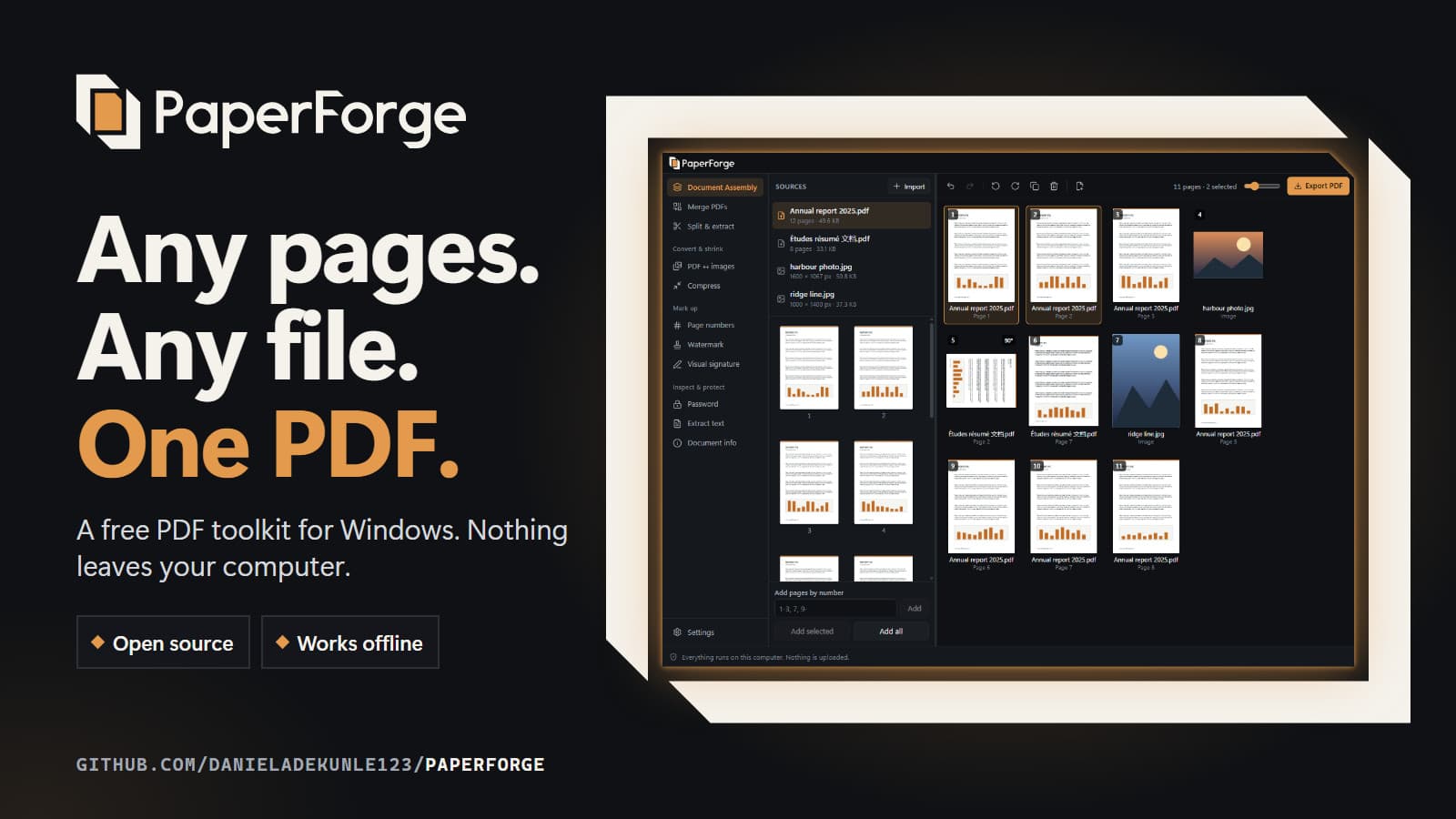
A free desktop PDF toolkit for Windows that brings common document tasks into one visual workspace and does all of its work on your computer, with no accounts, analytics or uploads.
Problem or goal
PDF work often means moving between separate tools or uploading documents to a website. PaperForge needed to put those tasks in one place, keep files local and leave the original documents untouched.
My approach
I built Document Assembly first and reused its engine for merging, so the two behave consistently. A sandboxed React interface talks to the Electron main process through a narrow, validated API, and a bundled Python worker does the PDF processing over a JSON Lines protocol.
Key features
- Document Assembly: combine pages from PDFs and images, then reorder, rotate, duplicate and export them with undo and redo
- Merge, split and page extraction with expected filenames shown first
- Compression that reports the real result and writes nothing if the file would not shrink
- PDF to image and image to PDF conversion
- Page numbers and text watermarks with live previews
- AES-256 password protection, plus removal when the supplied password authorises it
- Text extraction, metadata editing and visual signature placement
Technical highlights
- Pages are copied rather than rasterised, so ordinary PDF text, links and vector content are preserved
- The interface holds opaque file IDs instead of paths, so it cannot request an arbitrary file
- Separate job and interactive worker processes keep previews responsive during long exports
- Outputs are written as temporary files, reopened and verified, then moved into place
- A job shows as cancelled only after the worker has actually stopped
- One set of protocol fixtures is checked by both the Zod schemas and the Python validator
Testing and deployment
- 95 unit tests with Vitest and 144 worker tests with pytest
- 9 Playwright tests that drive the built Electron app and verify exported files by reopening them
- A packaged-app smoke test that exports a real PDF through the bundled worker
- Windows installer and portable builds with electron-builder, with the worker frozen by PyInstaller so users do not need Python
Challenges
- Keeping stamps and signatures in the right place on rotated and cropped pages, checked with rendered pixel tests
- Making previews match the final output by running them through the same worker code as the export
- Stopping long-running native PDF operations safely and cleaning up after them
Outcomes
- Released v1.0.0 on GitHub as open-source software under the AGPL, with installer and portable downloads
- Delivered Document Assembly and ten other tools through one bundled processing worker
- Designed the logo and app icon set alongside the product
Lessons
- Trust comes from being specific about limits, so the app reports real results, labels visual signatures as visual, and leaves out redaction rather than offering an unsafe version.