Desktop clip editor
Cutroom
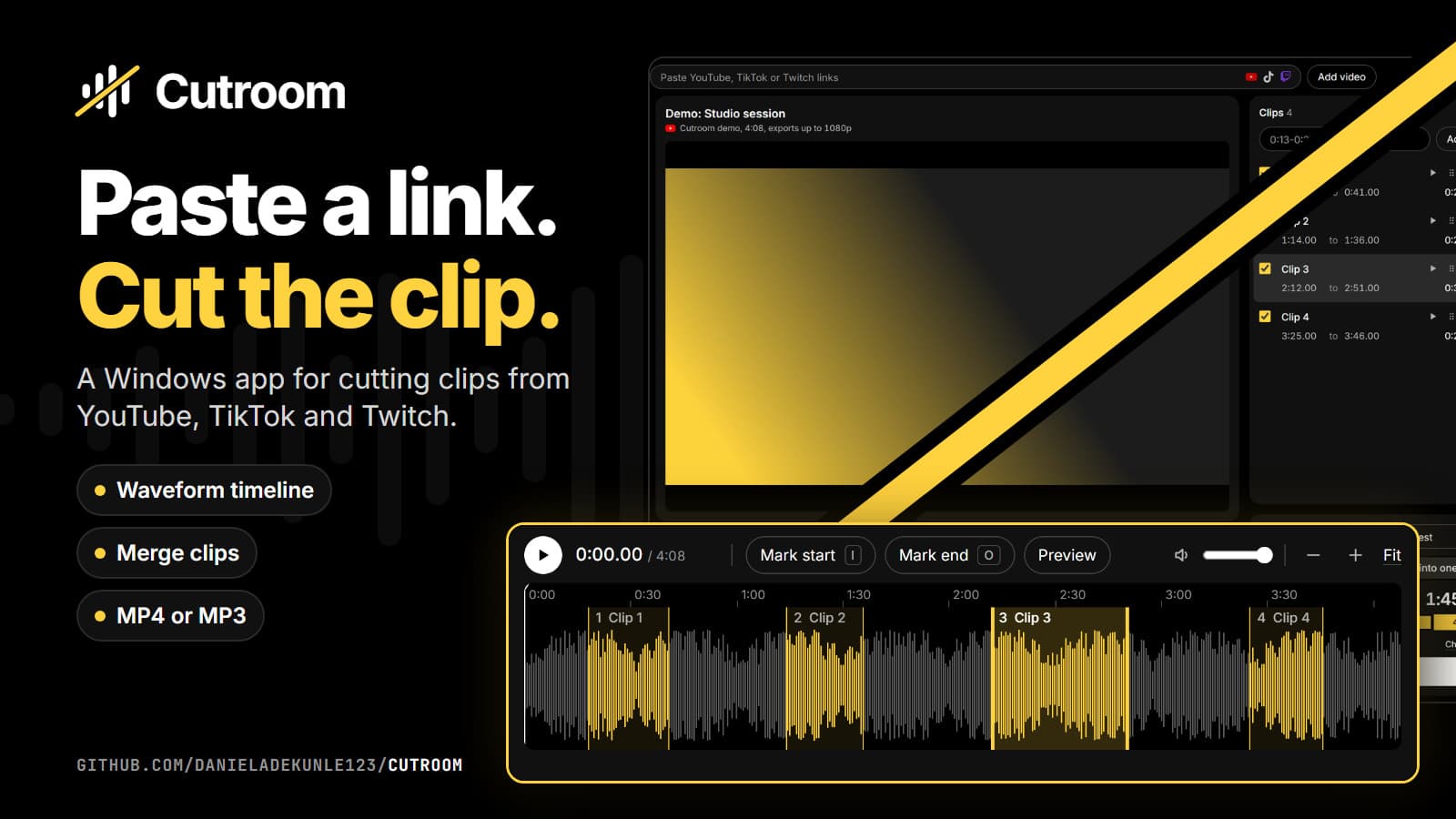
A Windows desktop app for cutting audio and video clips out of YouTube videos, TikTok videos and Twitch clips. You paste a link, mark clips on a waveform timeline and export them as MP4 or MP3.
Problem or goal
Pulling a few moments out of a long online video usually means downloading the whole thing and opening a full video editor. Cutroom needed to make that a single, focused job: paste a link, mark the parts you want and export them.
My approach
I built it as an Electron app around yt-dlp and FFmpeg. A new link first gets a small preview and a waveform, so editing starts quickly. The full-quality source is only downloaded when you export, then cut to the clips you marked.
Key features
- Paste or drop YouTube, TikTok and Twitch links, with several videos kept in a library
- Mark clips by dragging on the waveform, pressing I and O during playback, or typing times like 0:13-0:27
- Drag clip edges to trim, reorder clips, and undo or redo edits
- Export as MP4 or MP3, as separate files or merged into one
- Preview the merged order before exporting
- Keyboard shortcuts, plus timeline zoom with the mouse wheel
Technical highlights
- Audio is decoded through FFmpeg and reduced to up to 100 loudness points per second to draw the waveform
- Seeking before FFmpeg's input with a re-encode makes cuts frame accurate, so clips land exactly where they were marked
- Previews prefer H.264, because HEVC needs graphics hardware that not every PC has
- Exports are written to a temporary file and then renamed, and an existing file is never overwritten
- Cancelling stops the whole process tree, because yt-dlp starts FFmpeg itself
- The renderer runs sandboxed with context isolation, and tools are started as child processes with argument lists
Testing and deployment
- 20 automated tests with Node's test runner cover time and range parsing, link handling, filenames, clip rules, export plans and error messages
- Packaged for 64-bit Windows with Electron Packager and published as a GitHub release
Challenges
- Depending on sites that change often, so common yt-dlp failures are turned into plain explanations and the README covers updating it
- Handling videos with no audio or no video track when building FFmpeg's streams and merge filters
- Keeping large downloads separate from the app, with clear controls for removing them
Outcomes
- Released v1.0.0 on GitHub with a Windows download
- Delivered one editing workflow across three video sites
- Designed the logo and interface alongside the app
Lessons
- Doing the slow work only when it is needed makes a tool feel fast, so a small preview is enough to edit with and full quality can wait for the export.